Your product and contact details
The document includes the product name and the required supplier, manufacturer or importer contact details.
Company and product →
Choose the destination and provide product and composition details. We review the information and prepare the documents, with progress and completed files available in your account.
Save your details and continue later.
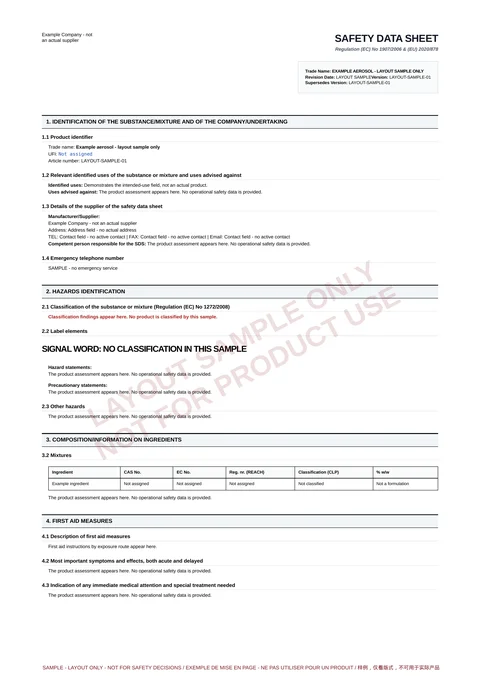
Synthetic layout sample, not an operational SDS. Do not use it for product safety or transport decisions.
For aerosols and non-aerosol liquid mixtures:Spray paints、Aerosol cleaners、Aerosol lubricants、Industrial maintenance、Liquid mixtures, including Class 3 flammable liquids。
Start with your product type, then check the information needed for its destination.
Enter your product details and formulation once. We check the language and contact information for each regional version.
The document includes the product name and the required supplier, manufacturer or importer contact details.
Company and product →Explore a sample to see how safety information is organised in the SDS.
Ingredients →Access delivered files by region and language. Download them again without using another credit.
How it works →Choose a destination to see the document languages and information required.
Simplified Chinese
English
English
Great Britain, excluding Northern Ireland
Language for your destination
For all 27 EU member states
English
English and French
Both languages count as one regional version
English
English
General format; check destination requirements
You provide the information; we prepare the document. Any request for additional details appears in the original request.
Choose aerosol or liquid mixture, then enter the name, use, capacity and complete formulation. Identify propellants for aerosols.
Choose regional versions, add the required document contacts and review your request before submitting.
We review the details and prepare your documents. Any information needed will be listed in your request.
Once delivered, open your request to view or download each regional and language version.
Save a draft while you gather any remaining details.
Choose a credit pack or a monthly, quarterly or annual plan. Each option shows its total price, credits and allocation schedule.
Use credits as needed. Check the included credits and validity period.
View credit packs →Choose a monthly, quarterly or annual term, with credits allocated each service month.
Compare service plans →A request can include several regional versions using the same product and formulation. Enter the required contacts for each region. Create separate requests for different EU destinations.
Start a request →Yes. Company accounts can select No logo and use the company name instead. Individuals do not need a company logo.
View applicant details →No. The Canadian version for one product includes English and French and uses one credit in total.
View the Canadian version →Credits are reserved when you submit and recorded as used when the corresponding regional files are delivered. Downloading again does not use another credit. Cancellation and refunds follow the terms for your request.
View credit activity →Yes. Save a draft and return to it under My requests. Submit it once the required information is complete.
Continue a draft →You can save a draft first. Check the details and required versions before confirming submission.